

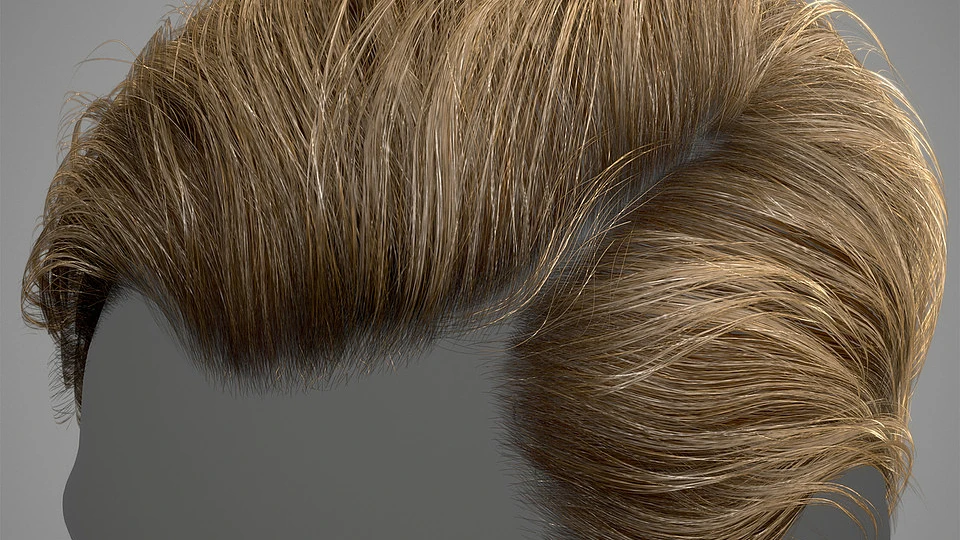
With over 100,000 individual strands of hair on the average human head, drawing hair is no easy feat. Whether you’re aiming for a character that is more stylized or realistic, there is a multitude of factors to consider, such as lighting, color, texture, and movement.
But in order to achieve the complexity of real hair digitally, you’ll first need to establish the basics. That’s where tutorials can give you an assist. Here are the top tutorials for drawing human hair for your next CG art masterpiece:
Hair Painting Tutorial

This tutorial shares an in-depth process of painting hair in Photoshop. It covers topics like color tones, highlights, and shadows, as well as the recommended brushes. Although the tutorial walks through the process in Photoshop, you can apply similar techniques to other applications such as Procreate.
The bundle includes:
- 30-minute high-resolution video
- Full video commentary
- 5-minute time-lapse video
- PSD file with layers
- PNG file of final image
- Brush pack
Stylized Hair Tutorial

If your character creation workflow includes 3D modeling, this is the perfect resource for you. This tutorial is a short and straightforward guide to creating a 3D stylized hairstyle for your future video game characters.
It contains:
- FBX file of the hairstyle and placeholder head
- Substance Painter texturing file
- ZBrush tool of various sculpt states
- Toolbag scene of final render with materials and animated turntable
- Exported textures
- Complementary instructional PDF, which you can find here
Hair Brush Pack & Time Lapse Video

Whether you’re pressed for time or have multiple characters to draw, one of the hacks to achieving detailed hair effortlessly is to use brushes. This diverse hair brush set will help you achieve just that. With multiple brushes, each entirely unique, you can create a variety of hairstyles in a matter of minutes.
In this pack, you’ll receive:
- 13 brushes for Photoshop
- 1.5-hour time-lapse video of process at 4x speed
- 4-hour real-time video of process
- JPEG of work in progress file
Realtime Hair Tutorial With Example Model

For more advanced CG artists, this tutorial is a guide demonstrating non-destructive techniques for creating complex hair structure and texture. The bundle includes the hair model, the textures used, and the Marmoset scene.
The tutorial covers multiple technical methods, such as:
- Creating hair primitives in Xgen
- Tuning hair shaders
- Rendering in Arnold
- Using cards to streamline the workflow
- Creating material in Marmoset
How to Draw Blonde Hair Tutorial

This Tsvetka tutorial will show you how to draw a character with blonde hair and achieve the stylizing that the popular artist is known for. The tutorial will walk you through crucial steps, like utilizing reference images to simplify the process, choosing a fitting color palette, and creating highlights and shading.
The bundle includes:
- 1-hour tutorial with voiceover
- PSD file
- 16 Photoshop brushes used in the tutorial
- Full-sized JPEG
Painting Hair & Fur

If you’re interested in learning about the conceptual side of things simultaneous with the technical, this is a great tutorial that will walk you through the thinking that goes behind painting both hair and fur using concepts and sketches in Photoshop.
The pack contains:
- Video walkthrough tutorial
Ultimate Anime Hair IMM Curve Brush

This complimentary set provides an “insert multi mesh,” or IMM, curve brush to utilize in ZBrush.
The tool bundle consists of:
- IMM curve brush for Zbrush
- Youtube video tutorial, which you can find here
- Update that consists of more options for hair planes and hair cards
Note: this brush was created for ZBrush 4r8, so it can only be used in newer versions of Zbrush.
Hair Sculpting Timelapse
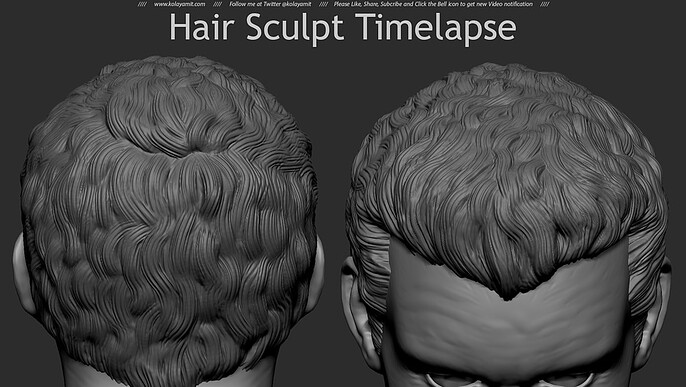
If you’re someone who learns best through observing other artists, this should be an affordable tutorial for you.
It includes:
- Video timelapse tutorial that walks through how to sculpt hair in Marmoset
For all the best resources, tips, and tricks for CG character creation, count on Cubebrush.