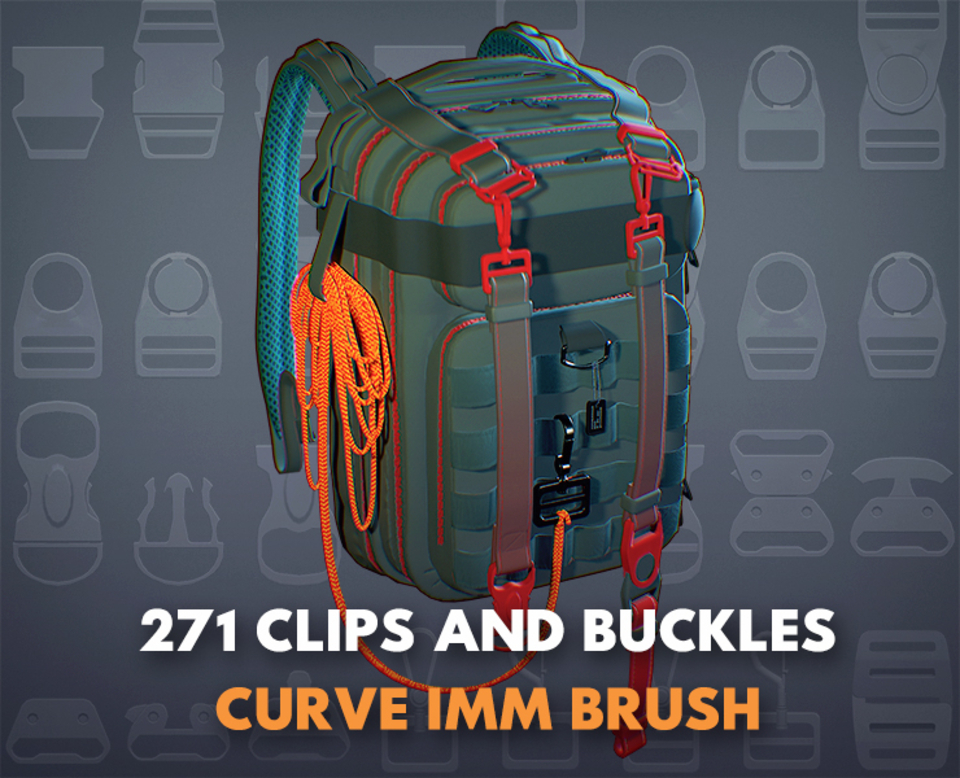


271 Clips, Buckles & Strap IMM Brushes – 48 Designs + 4 Curve Systems for ZBrush
Build detailed costumes, tactical gear, armor and character accessories faster with this extensive collection of 271 insert meshes, created from 48 clip and buckle designs plus 4 complete strap systems.
The pack combines individual IMM brushes with editable Curve Brush systems, allowing you to place buckles, clips and connectors individually or draw complete straps directly along the surface of your character or prop.
Use the included assets to create belts, harnesses, bags, backpacks, holsters, military equipment, fantasy armor, fashion accessories and adventure gear without modeling every fastening element from scratch.
Included content
271 total insert meshes and variations
48 unique clip and buckle designs
4 complete belt and strap systems
Individual IMM Brush format
Editable Curve Brush format
OBJ meshes for Blender and other compatible software
English ZBrush installation guide
Spanish ZBrush installation guide
English Blender workflow guide
Spanish Blender workflow guide
Included design types
The collection includes a varied selection of:
Side-release buckles
Luggage clips
D-rings
Carabiner-style connectors
Military-style fasteners
Fashion buckles
Strap adjusters
Rings and loops
Harness connectors
Bag and backpack clips
Belt components
Decorative fastening elements
Main features
271 ready-to-use insert meshes
48 distinct buckle and clip designs
4 editable strap systems
IMM and Curve Brush workflows included
Draw straps directly along custom curves
Place individual clips anywhere on your model
Editable geometry
Designed for subdivision-friendly workflows
Suitable for realistic and stylized characters
OBJ files included for Blender and cross-platform use
Useful for character, costume, prop and hard-surface design
Perfect for creating
Tactical characters
Military equipment
Fantasy armor
Adventure outfits
Belts and harnesses
Bags and backpacks
Weapon holsters
Pouches and utility gear
Fashion accessories
High-fashion characters
Survival equipment
Sci-fi costumes
Post-apocalyptic outfits
Industrial props
Miniatures and collectible sculptures
Game and cinematic characters
Two flexible workflowsIMM Brush workflow
Drag individual buckles, clips, rings and connectors directly onto your model. Adjust their scale, rotation and placement to fit different garments, props and character proportions.
Curve Brush workflow
Draw complete straps along editable curves. Modify the path, thickness and placement directly in ZBrush to create belts, harnesses and flexible fastening systems around the body or prop.
Save time when designing characters
Buckles, clips and straps are small elements, but they often require substantial modeling and placement time.
This pack provides a large reusable library of fastening components that can be combined across military, fantasy, fashion, sci-fi and adventure designs.
Use the assets as finished details or modify them as starting points for your own custom costume systems.
Software compatibility
ZBrush 2020.1 or newer
Blender using the included OBJ meshes
Other 3D software capable of importing OBJ files
Important information
This is a digital product. No physical item will be shipped.
The characters, clothing, armor, weapons, bags and presentation renders shown in the promotional images are for demonstration purposes and are not included.
Please check the included content before purchasing if you already own any related belt, buckle or strap products from this store.
Tags
zbrush, zbrush imm, imm brush, curve brush, buckle brush, buckles, clips, strap brush, straps, belt brush, costume design, character clothing, character accessories, armor accessories, tactical gear, military gear, harness, backpack accessories, bag clips, weapon holster, fashion accessories, fantasy armor, sci fi clothing, post apocalyptic, hard surface, prop design, blender, obj, digital sculpting, character artist
You will get 9 files
All files previously purchased will always be available for download in your Library
- ComoinstalarlosPincelesDi...346.11 KB
- HowtoinstallBrushesDimasA...347.63 KB
- HowUseDimasAlcaldePacksin...1.91 MB
- ComoUsarPacksDimasAlcalde...1.9 MB
- Buckles_brush_Strap_01_ob...2.91 MB
- Buckles_brush_Strap_02_ob...4.79 MB
- Buckles_brush_Strap_03_ob...4.62 MB
- Buckles_brush_Strap_04_ob...6.45 MB
- Buckeles_base_Brush_Strap...17.32 MB