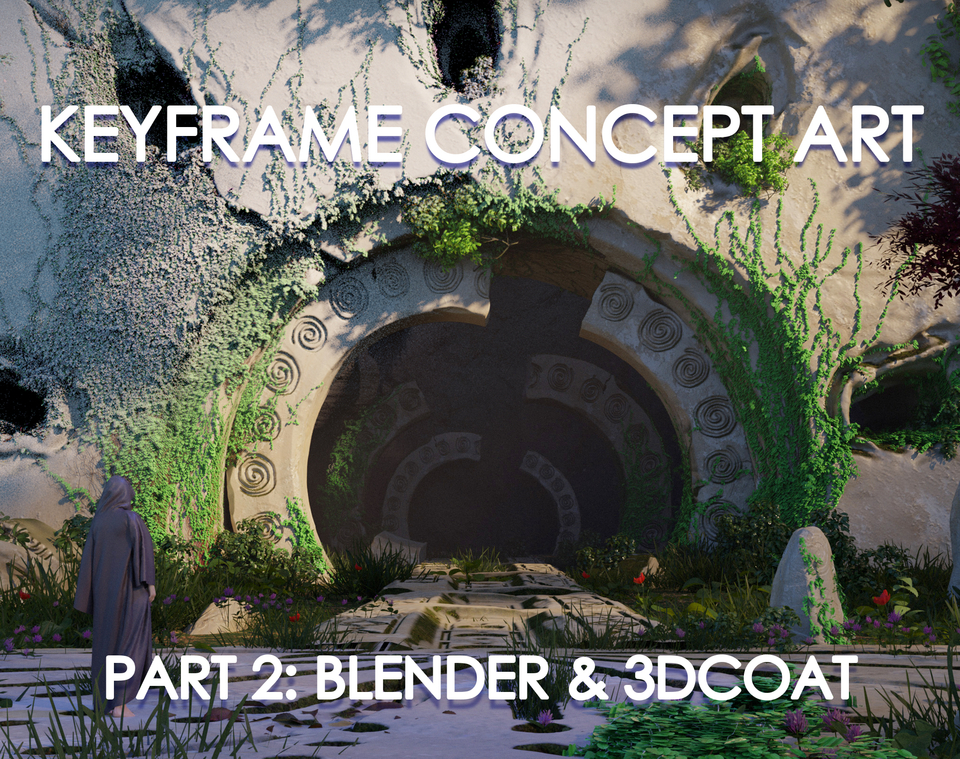


BLENDER & 3DCOAT - PART 2
Keyframe Concept Art PART 2 ONLY
THIS SECTION INCLUDES THE BLENDER & 3DCOAT PHASE ONLY
Full tutorial here - artstation.com/a/28531309 Or Gumroad - gavinodonnell.gumroad.com/l/qewlg
Full tutorial trailer - https://youtu.be/ZO4zk6XDfS4?si=FLFkWJ1zrOCOaox4
Who is tutorial for?
It's aimed at beginner and intermediate artists looking to broaden their toolset combining 3D techniques. I cover a beginner intro into 3DCoat in this course. Most of the 3D assets are created in 3DCoat (30 Day free trial available). I recommend that you have some foundational knowledge in Blender.
In this tutorial, I will show you how I translate my ideas using 3D tools in a beginner friendly way. I will also discuss a 3DCoat intro, organic/architectural sculpting, preparing assets in Blender ,texturing, lighting, rendering, and setting up a strong base.
Tutorial includes:
10+ hours of real time voiced over recorded content Kitbash Set 3D Render Passes PureRef file Stencil Pack 3DCoat Interface and Shortcuts Notepad doc with useful resources and links
Topics covered:
Stencil Creation 3DCoat Intro 3DCoat Organic/Architectural Sculpting Exporting from 3DCoat Asset Prep Blender Blender Addons Bagapie Image Displacements Ivy Mixamo Texturing Lighting in EEVEE Engine & Cycles 3 Demos on Building the Shot Framing Rendering
Software used:
Photoshop, 3DCoat - Free Trial for 30 days available, Blender
Blender Free Addons - Bagapie Free, MachineTools, Sketchfab
Part 2 Duration:
Chapter 2 - Building Assets in 3DCoat 4hrs 44mins
Chapter 3 - Blender Texturing and Building the Shot - 5hrs 21mins
Total tutorial time - 10hrs 5mins
Please feel free to reach out with any issues, questions or feedback I'd love to hear any thoughts positive or constructive.
I'd also love to see anything that you've created using this tutorial!
Reach out via Artstation, Instagram or by email - [email protected]
Thank you so much for the support and good luck on the art journey!
You will get 23 files
All files previously purchased will always be available for download in your Library
- Keyframe Part 2a.zip1.72 GB
- Keyframe Part 2b.zip1.97 GB
- Keyframe Part 3a.zip1.78 GB
- Keyframe Part 3b.zip1.9 GB
- Keyframe Part 3c.zip1.1 GB
- Assets.blend1.03 GB
- Assets 2.blend499.01 MB
- Objs.zip307.61 MB
- Textures.zip278.98 MB
- Base Scene.blend133.93 MB
- Useful Resources Links.txt2.78 KB
- Homework Chapter 2.jpg584.16 KB
- Homework Chapter 3.jpg842.52 KB
- Shortcuts.txt1.13 KB
- Photo Inspo.zip411.05 MB
- Shot 1.zip1.17 GB
- Shot 2.zip1.39 GB
- Shot 3.zip1.14 GB
- GavsBrushes.abr23.94 MB
- Bonsai of Power Ref.pur471.71 MB
- 3DCoat Files_Stencils.zip530.53 MB
- Assets5.JPG617.83 KB
- AssetsB.JPG855.11 KB