Description
Blender add-on by 3DRedBox Studio.
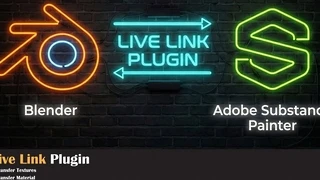
Significantly improved export performance. Transfers are quicker than ever, even with heavy scenes and large assets, keeping your workflow smooth. VIDEO DEMO See it in action. VERSION 2 OVERVIEW The v2 walkthrough. HOW IT WORKS Five steps. Done. Install, copy scripts, enable, connect, create. Your Blender scene lands in Unreal in seconds. 1 INSTALL Install the add-on in Blender and copy the Unreal scripts to your Content/Python/ folder. 2 CONNECT Click Start Live Link in both Blender and Unreal Engine. The bridge is ready. 3 CREATE Send, sync, iterate. Every change in Blender appears in Unreal instantly. CORE FEATURE One-Click Send Select your models and send them straight to Unreal with a single button press. Meshes, materials, and textures all transfer together. No export dialogs, no file browsers, no FBX settings to fiddle with. Select. Click. It is in Unreal. CORE FEATURE Live Sync Mode Enable auto-sync and every change you make in Blender instantly appears in Unreal. Move, scale, edit topology, swap materials — it all updates automatically. Smart change detection uses deep scene hashing to catch mesh edits, material changes, texture swaps, and transform updates. Smarter debounce waits for heavy edits to settle before syncing. No crashes on topology changes. CORE FEATURE Bake & Send Complex Materials Got complex shader setups with Mix, ColorRamp, Noise nodes? The built-in baker converts them to clean PBR textures before sending. Base Color, Normal, Roughness, Metallic — all baked and transferred. Your original materials stay completely untouched. Non-destructive.
Also available on Superhive Market.
You will get 2 files
Instant download · 2 files · 51.3 MB total
More from 3DRedBox
 NEW RELEASE
 NEW RELEASE
 NEW RELEASE
 NEW RELEASE
 NEW RELEASE
 NEW RELEASE