At a glance
Description
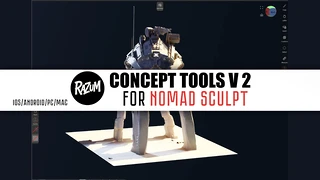
🤖Learn how to take a robot concept from sketch to 3D — all on your iPad, without the need for a PC! In this tutorial, I walk you through my complete workflow using Nomad Sculpt and Procreate, showing how to develop a concept, revise it, and sculpt it into a finished piece — all from scratch.
🎓 Course Breakdown: Total Runtime: 1 hour 37 minutes
Includes BONUS: 5+ hours of full, uncut workflow footage!
🎙️ Chapters with English Voiceover:
Intro to Nomad Sculpt -Sketching the Concept in Procreate -Revising & Refining the Design -Advanced Sculpting in Nomad Sculpt -Materials & Texturing Workflow
🧠 What You’ll Learn: Efficient concept creation directly on iPad How to switch between Procreate and Nomad effectively Design thinking: combining 2D and 3D for better results Full sculpting pipeline for hard-surface design Tips for materials, forms, and presentation
📦 What’s Included: High-quality video lessons with clear commentary BONUS: Full 5+ hour workflow recording Lifetime access No software subscriptions required
🛠 Tools Used: Nomad Sculpt (iOS or Android)
Procreate (iPad)
💌 Have questions or feedback? Contact: [email protected]
📸 Follow for more tutorials and updates: @razum_inc on Instagram
You will get 5 files
Instant download · 5 files · 6.7 GB total