At a glance
Lessons
13 in 1 chapter
Level
Beginner
Description
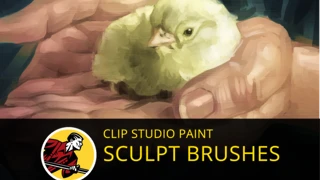
In this digital painting process demo, I start off with a 15-minute sprint to see how much i can accomplish in a short amount of time. (Watch this part for free here.) This important initial phase lays a solid foundation for the rest of the painting. Over the next hour, I explain my process for laying in detail, talk about the benefits of implied detail, and show you how to use my awesome Sculpt Brush to quickly define forms and planes. Plus it's always great to paint leather! I had a blast painting this piece and hope you enjoy it as well.
Download the Sculpt Brush. The high-res, layered Clip Studio Paint file is now part of [ArtBag 02(9https://gum.co/artbag02)!
You will get 13 files
Instant download · 13 files · 965.5 MB total
00-15min sprint.m4v
M4V · 154.9 MB
02-Readdressing lighting.m4v
M4V · 22.1 MB
03-A word on adding details.m4v
M4V · 10 MB
01-Adding ambient occlusion.m4v
M4V · 155 MB
04-Loose details block in.m4v
M4V · 53.3 MB
05-Sculpting forms.m4v
M4V · 26.8 MB
06-Benefits of implied detail.m4v
M4V · 61.2 MB
07-Adding micro details.m4v
M4V · 125.4 MB
08-Adding lettering.m4v
M4V · 78.2 MB
09-Almost there.m4v
M4V · 104.4 MB
10-Canvas and brush impasto.m4v
M4V · 151.5 MB
11-Final color correction.m4v
M4V · 10.8 MB
12-Conclusion.m4v
M4V · 12.3 MB
00-15min sprint
02-Readdressing lighting
03-A word on adding details
01-Adding ambient occlusion
04-Loose details block in
05-Sculpting forms
06-Benefits of implied detail
07-Adding micro details
08-Adding lettering
09-Almost there
10-Canvas and brush impasto
11-Final color correction
12-Conclusion