Description
40 IMM Straps Brush for ZBrush (Belts, Cords, Bands, Tapes)
I am presenting a Set of 40 IMM Straps Brushes for ZBrush, a versatile collection designed to enhance your 3D models with a variety of belts, cords, bands, and tapes. This pack is essential for adding detailed and realistic strap elements to characters, props, armor, clothing, and accessories.
Key Features: Wide Variety of Straps: Includes a selection of belts, cords, bands, and tapes in different styles, thicknesses, and shapes to fit various applications.
High-Quality Sculpted Details: Each strap is sculpted with realistic folds, stitching, and surface textures, providing an authentic look and feel.
Quick and Efficient Workflow: Easily drag and place straps onto your models using Insert Multi Mesh (IMM) functionality, saving time while maintaining professional quality.
Versatile Use for Different Projects: Perfect for character outfits, military gear, tactical equipment, fantasy armor, sci-fi suits, medieval accessories, and modern fashion designs.
Customizable and Ready to Use: Can be adjusted, resized, and customized within ZBrush to fit your specific needs, allowing for flexibility in design.
This IMM brush set is an essential tool for ZBrush artists looking to add intricate strap details quickly and efficiently to their 3D creations.
For use with Zbrush (2018) and up.
Contents - One IMM Multi Curve Brush
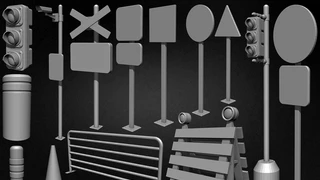
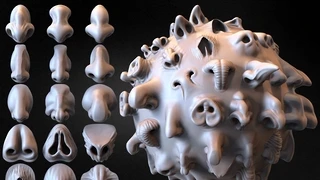
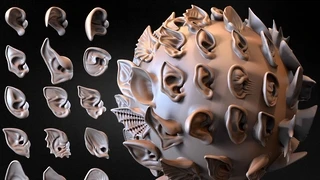
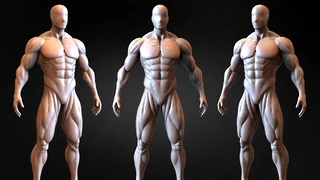
7 Images showing the Brushes
One ZBrush file Lowpoly file
One Zbrush ZTL File (ZTL)
40 STL Files- 40 OBJ Files
One reference showing the settings
How to use : All Brushes have the correct settings embedded but just in case you need it : Please find reference pictures attached for specific settings. When using the brush make sure to turn on Curve mode under the Stroke - Curve menu. This Brush has Tri-part cables and Non-Tri-parts cables For Tri-Part cables (see pictures for reference) --> Tri-part should be turned ON. (Brush-->Modifier-->Tri-parts) For Non-TriPart cables (see pictures for reference) --> Tri-part should be turned OFF. (Brush-->Modifier-->Tri-parts) and Weld points should be turned ON.
Feedback, questions, and updates :
Email: [email protected]
Website: https://brinis_
License Info Commercial use of the Brushes/Alphas are permitted but the alphas or brushes themselves can not be sold or shared and must be embedded components in media such as a video game, movies etc.
License Types Single User License - For one person only. Greating!Enjoy and Happy Zbrushing!
Yacine BRINIS
3D Artist
You will get 5 files
Instant download · 5 files · 71.7 MB total