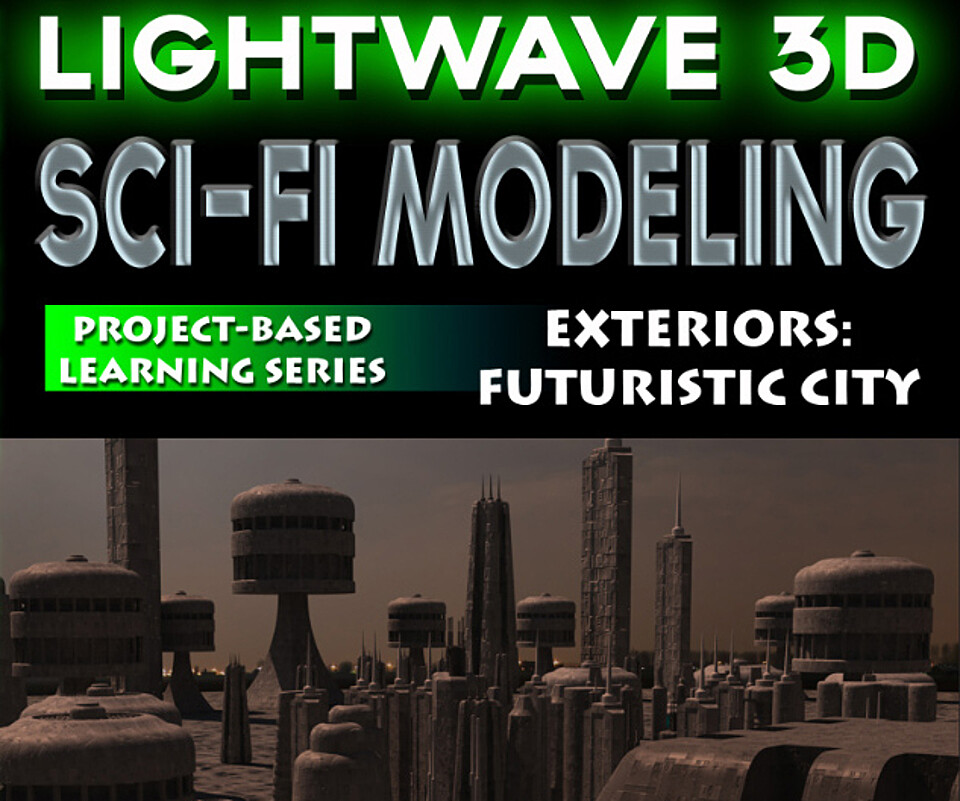


LightWave 3D- Sci-Fi Modeling- Vol. #2- Exteriors
LightWave 3D Sci-Fi Modeling-Volume #2-by Adam Gibson
In this training video watch LightWave Instructor Adam Gibson build a Sci-Fi Style City similar to many that have been created for big screen sci-fi action films.
The premise of this video is to show LightWave's quick and powerful modeling tools combined with some compositing tricks to create the illusion of a massive city using very little geometry. Less geometry means quicker render times. Techniques on how to set up a Sky-Dome and how to set-up optical illusions using Perspective are discussed in detail.
Table of Contents for Modeling a Sci-Fi City
Chapter 1- Intro
Chapter 2- Creating Background Buildings Using 2D Images/Photos
Chapter 3- Futuristic Style Structures
Chapter 4- Capsule Shape Tower (Part One)
Chapter 4- Capsule Shape Tower (Part Two)
Chapter 5- Quad Winged Tower
Chapter 6- Short Tower
Chapter 7- Creating a Tower with the Taper Tool
Chapter 8- Creating a Tower with the Boolean Tool (Part One)
Chapter 8- Creating a Tower with the Boolean Tool (Part Two)
Chapter 9- Creating a Tower with the Lathe Tool
Chapter 10- How to Resize your Models with the Absolute Size Tool
Chapter 11- What is a Sky Dome?
Chapter 12- Creating a Sky Dome
Chapter 13- Setting Up a Sky Dome in Layout
Chapter 14- How to Render Images for "Polygon Building Background Plates"
Chapter 15- How to Create "Polygon Building Image Background Plates" in Modeler
Chapter 16- How to Composite "Polygon Building Image Background Plates" in Layout
Chapter 17- How to Remove Perspective from "Polygon Building Image Background Plates"
Chapter 18- Radiosity and Lighting
Chapter 19- Lights: Exclude Object/Mesh Feature
Chapter 20- City Assets
Chapter 21- Adjusting Background Plates in Layout
Chapter 22- Adjusting Background Plates Images in Photoshop
Chapter 23- Re-Applying Background Plate in Layout
Chapter 24- Cloning and Adjusting BG Plates
Chapter 25- Populating the Scene with City Objects
Chapter 26- Camera Animation Set-Up
Chapter 27- Adding Tension to Camera Keyframes
Chapter 28- Background Spacefighter Fly-by
Chapter 29- Added City Traffic and Render Settings
Chapter 30- Final Animation
Level: Beginner
Running Time: 7 hrs. 44 mins.
Screen-Res: 1680 x 1050 pixels)
Video Format: MP4(.mp4)
You will get 34 files
All files previously purchased will always be available for download in your Library
- LW_Sci_Fi_Modeling_Vol_2_...51.9 MB - 5 min
- LW_Sci_Fi_Modeling_Vol_2_...49.99 MB - 4 min
- LW_Sci_Fi_Modeling_Vol_2_...74.22 MB - 6 min
- LW_Sci_Fi_Modeling_Vol_2_...82.3 MB - 5 min
- LW_Sci_Fi_Modeling_Vol_2_...82.72 MB - 7 min
- LW_Sci_Fi_Modeling_Vol_2_...86.37 MB - 8 min
- LW_Sci_Fi_Modeling_Vol_2_...101.47 MB - 8 min
- LW_Sci_Fi_Modeling_Vol_2_...74.76 MB - 5 min
- LW_Sci_Fi_Modeling_Vol_2_...140.99 MB
- LW_Sci_Fi_Modeling_Vol_2_...154.27 MB - 12 min
- LW_Sci_Fi_Modeling_Vol_2_...162.84 MB
- LW_Sci_Fi_Modeling_Vol_2_...214.03 MB
- LW_Sci_Fi_Modeling_Vol_2_...179.17 MB
- LW_Sci_Fi_Modeling_Vol_2_...177.41 MB - 13 min
- LW_Sci_Fi_Modeling_Vol_2_...226.71 MB - 19 min
- LW_Sci_Fi_Modeling_Vol_2_...325.93 MB
- LW_Sci_Fi_Modeling_Vol_2_...265.72 MB - 21 min
- LW_Sci_Fi_Modeling_Vol_2_...333.36 MB - 25 min
- LW_Sci_Fi_Modeling_Vol_2_...459.14 MB - 35 min
- LW_Sci_Fi_Modeling_Vol_2_...474.54 MB - 38 min
- Content_Folder_LW_SciFI_M...153.45 MB
- LW_Sci_Fi_Modeling_Vol_2_...95.46 MB - 7 min
- LW_Sci_Fi_Modeling_Vol_2_...84.03 MB - 5 min
- LW_Sci_Fi_Modeling_Vol_2_...91.1 MB - 7 min
- LW_Sci_Fi_Modeling_Vol_2_...107.22 MB - 8 min
- LW_Sci_Fi_Modeling_Vol_2_...129.12 MB - 10 min
- LW_Sci_Fi_Modeling_Vol_2_...197.12 MB - 16 min
- LW_Sci_Fi_Modeling_Vol_2_...175.93 MB - 13 min
- LW_Sci_Fi_Modeling_Vol_2_...166.68 MB - 12 min
- LW_Sci_Fi_Modeling_Vol_2_...125.58 MB - 9 min
- LW_Sci_Fi_Modeling_Vol_2_...86.94 MB - 5 min
- LW_Sci_Fi_Modeling_Vol_2_...319.37 MB - 25 min
- LW_Sci_Fi_Modeling_Vol_2_...179.85 MB - 13 min
- LW_Sci_Fi_Modeling_Vol_2_...376.98 MB - 25 min