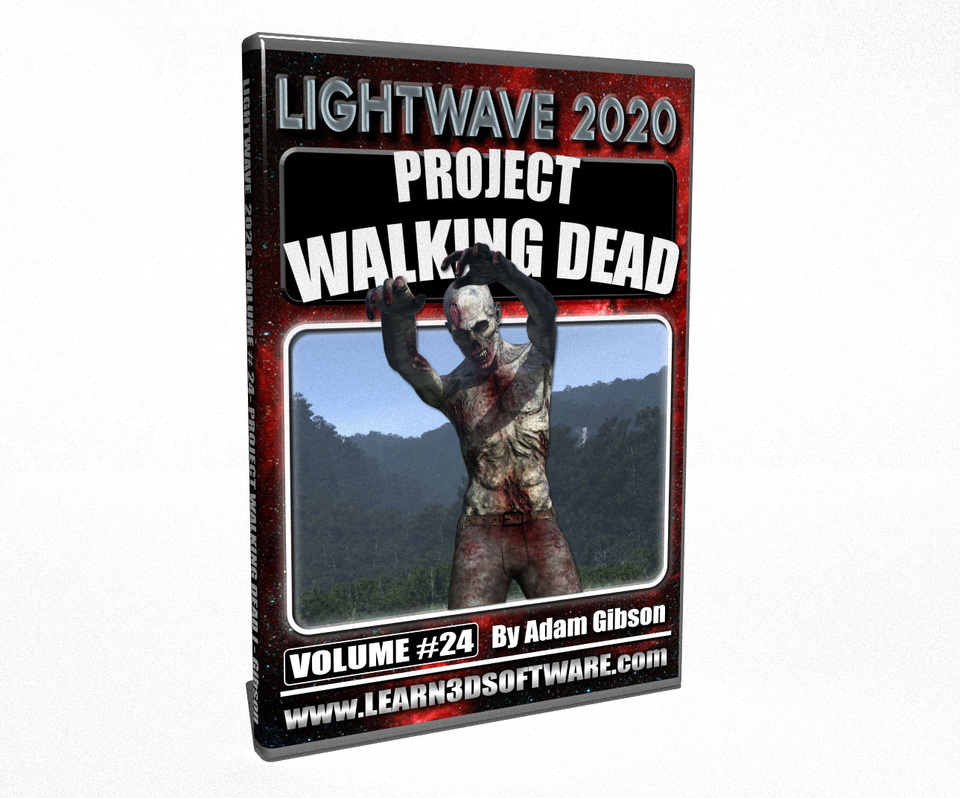


Lightwave 2020- Volume #24- Project Walking Dead
In this twenty fourth volume of the Lightwave 2020/2019/2018 Series 3D Instructor Adam Gibson has created a super fun and exciting course on how and where to download dozens of Free Pre-Rigged 3D characters and thousands of Free Motion Capture Animations to easily use on your 3D characters in LightWave 2020.
In this course Adam Gibson will show how to set-up Zombie characters with pre-made animations for use in LightWave 2020. This volume is "Part One" or Three of our "Project Walking Dead" Series to get you up and productive fast!!
This course is for both beginners and professional 3D artists who are either Not Good at Rigging, Not Good at Character Animation or just Do Not Have the Time in their busy Production Schedules to rig characters or animate them the traditional way with old school key-framing (which is very hard to get natural and realistic movements without loads of time and experience).
The concepts and techniques in this course can be used in many other 3D animation projects, Not just for Zombie Projects!!
Table of Contents
Chapter 1- Intro
Chapter 2- Course Outline
Chapter 3- Mixamo Website Introduction
Chapter 4- Mixamo Viewport Controls
Chapter 5- Mixamo Animation Parameters & Controls
Chapter 6- Mixamo- How to Trim Animation Frames for Output to other Software Packages
Chapter 7- Exporting Animations/Character FBX Data and Importing FBX Files into LightWave 3D
Chapter 8- Renaming Animation Control Nulls in LightWave 3D
Chapter 9- Creating Zombie Leg Drag Animation Scene File
Chapter 10- Creating Zombie with Upright Posture Animation Scene File
Chapter 11- How to Add and Set-Up Multiple Zombie Characters in One Scene (Part One)
Chapter 12- How to Add and Set-Up Multiple Zombie Characters in One Scene (Part Two)
Chapter 13- Setting Up your Camera and Creating a Preview Animation
Chapter 14- Final
Running Time: 2 hrs. 28 mins.
High Quality (Screen-Res 1920 x 1080 pixels)
Video Format: MP4 (.mp4)
Level: Beginner
You will get 15 files
All files previously purchased will always be available for download in your Library
- LW_2020_Vol_24_Chap_01_In...2.02 MB - 14.527999999999999 sec
- Zombie_Group_Walk_Final_R...1.46 MB - 4.053333333333333 sec
- LW_2020_Vol_24_Chap_14_Fi...19.52 MB - 1 min
- LW_2020_Vol_24_Chap_02_Co...33.79 MB - 4 min
- LW_2020_Vol_24_Chap_12_Cr...36.87 MB - 3 min
- LW_2020_Vol_24_Chap_11_Cr...57.68 MB - 5 min
- LW_2020_Vol_24_Chap_13_An...64.73 MB - 5 min
- LW_2020_Vol_24_Chap_04_Mi...92.51 MB - 6 min
- LW_2020_Vol_24_Chap_09_Zo...152.58 MB - 14 min
- LW_2020_Vol_24_Chap_10_Zo...161.41 MB - 14 min
- LW_2020_Vol_24_Chap_08_Re...206.69 MB - 20 min
- LW_2020_Vol_24_Chap_05_Mi...138.62 MB - 9 min
- LW_2020_Vol_24_Chap_06_Mi...200.17 MB - 12 min
- LW_2020_Vol_24_Chap_03_Mi...269.92 MB - 21 min
- LW_2020_Vol_24_Chap_07_FB...346.81 MB - 28 min