


TLDR: Not every model is right for every game. Here's what to actually check before you buy:
- Polycount targets by asset type — heroes, bosses, NPCs, and props
- Texel density explained — and the range that balances quality with performance
- LODs — what they are, why they matter, and what a good purchase includes
- How to use this checklist to build consistent, optimized environments faster
There are a million “game-ready assets” out there, but that doesn’t mean they’re all perfect for the project you’re working on today.
The fact is, most of us aren’t creating AAA games with massive budgets and unlimited processing power. Even established indie game developers with talented teams need to pick assets that match their current style and deliver high future value. The top creators are experts at finding pre-mades that are extremely flexible and developed with practical gaming needs in mind.
That means high-poly models that give your character pixel-perfect detail at every level, right?

Wrong.
The perfect game-ready asset is a combination of practical, experiential, technical, and aesthetic factors that delivers an incredible player experience without sacrificing performance and consistency.
Not sure what that looks like? Don’t worry—here’s a practical guide to picking the perfect piece for your latest project.
I Was Born Game-Ready—So What Does It Really Mean?
Most game developers rely on pre-made assets to build out their world and make the most of the time and resources they have available. While they expect to invest a lot of energy in key elements like heroes and bosses, it’s impractical to create every chest and NCP entirely from scratch.
That’s where making smart purchases plays a key role in efficient game development. In many cases, it’s not worth counting polygons and creating multiple levels of detail for a generic chest when you could spend your time customizing an existing model for your game.

With a solid budget, game developers can prioritize purchases that are designed to drop seamlessly into a game environment while offering maximum flexibility.
How do you know if the asset you’re eyeing is a true game-ready purchase? Look for the following specs.
1. Polycount
A model with a million polygons might look incredible at every level of detail—but it’s going to ruin the gaming experience when an engine tries to render it in real time. Every triangle adds to computational load, and game-ready assets aim to strike a perfect balance of polygon count and pixelated detail to avoid annoying lags and maintain an immersive gaming experience.
Taking models from high-poly artworks to low-poly assets that make sense for gaming is a time-consuming task, and it’s a key consideration to look for when you’re making a purchase.
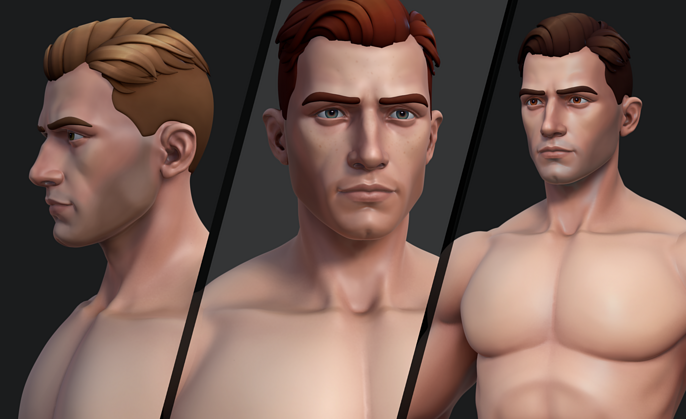
With each scene rendering at 30-60 fps on average, you’ll want to look at asset classes that deliver consistent polycounts so you can build your environments with confidence and speed.
- Heroes. These characters are going to be on screen all the time, and they need to be compelling as well as practical to render. A 10k-50k polycount is ideal, and expect to invest a lot of time in these custom pieces.
- Bosses. When a boss is on screen, it’s probably going to dominate the gaming experience. They’re worth higher polygon counts in the range of 10k-100k to ensure they look incredible.
- Enemies and NPCs. 2k-15k is ideal for characters that are constantly wandering in and out of frame.
- Props. A legendary item is probably worth some extra polygons, but 500-3K is a good range for everyday weapons, chests, and gear.
Is this the right model?
- Low-poly design
- Right polycount for your project
2. Texel Density
One of the key differences between hi-res models and game-ready assets is how pixel counts affect the final product. In general, surface textures render much more quickly than complex polygon structures, making pixel count a key element of game-ready assets.
Texel density tells you the ratio of pixels to the overall surface area of a model, and there are several reasons it matters when you’re evaluating a model’s suitability for gaming.
- Consistency. Minecraft is the perfect example of great gameplay that doesn’t require high pixel count. No matter what aesthetic you choose, a game-ready asset will need to deliver a look that’s consistent with your world.
- Speed. Texel densities of 512-1024 px/m strike a good balance between detail and performance. Assets in this range can take advantage of optimizations like height mapping without introducing lag.
Is this the right model?
- Texel density of 512-1024 px/m
- Matches your other assets
3. LODs
One of the biggest mistakes new game developers make is using the same model regardless of how far away it is. In real life, objects in the distance are more blurry than foreground elements, and developers can take advantage of this fact to increase performance while supporting a realistic environment.
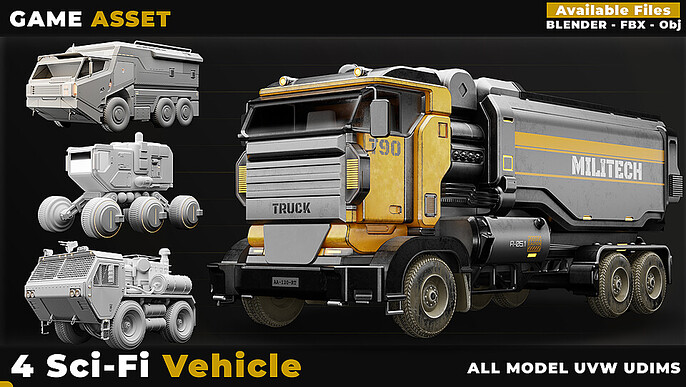
Each model should have multiple level-of-detail examples (LODs) that an engine can pivot between depending on where they are in the scene.
Of course, if you’re building from scratch, you’ll have to create each LOD model as you go—and that takes time and energy you might not have.
A great game-ready asset will deliver the following LODs as part of the purchase to save on resources and deliver as much processing power as possible.
- LOD0: 100% polygon count for zooming in (0–10 meters).
- LOD1: ~50% polygon reduction for 10–25 meter distances.
- LOD2: ~75% polygon reduction when objects are far away.
- LOD3: 90% or greater reduction for billboard impostors that are over 50m in the distance.
Is this the right model?
- Comes with multiple LODs
- Similar polycounts to other models
Where Can I Find Ideal Game-Ready Assets?
The best game-ready models are born from experience. The 1.5 million members of Cubebrush’s digital art community are creating new games every day, and they know exactly what developers need in a model to seamlessly drop it into their next project.
If you’re looking for the perfect collection of gear, weapons, and environmental features to take your next game live in record time, start exploring our network of 12,000+ storefronts. You’ll find ideal low-poly, game-ready models you can adapt to any project, so you can focus your energy on the details that matter.
Ready to make your next game more immersive than ever? Visit Cubebrush and find the perfect game-ready assets to bring your world to life.
FAQs
What does “game-ready assets” mean?
A game-ready asset is a model that has an optimized polycount, texel density, and several LODs to balance performance and aesthetics for a game engine.
Is low poly or high poly better?
The higher the polycount, the longer it takes a game engine to render a model. Ideal game-ready models strike a balance between low polycounts and aesthetics.
Does texel density affect performance?
Yes. A lower texel density will allow for faster rendering, but it will sacrifice quality. Game-ready assets should deliver texel densities between 512 and 1024 px/m.