

TLDR: Wondering how long the road ahead really is? This guide sets realistic expectations:
- How your goals (hobby vs. career) shape your timeline from day one
- Software learning curves broken down by program — from a few days to several months
- The core skills every artist has to develop (and why you're never truly done)
- What "good" actually looks like and how to get there in 3-6 years
Are you a good artist? That’s an extremely difficult question to answer for yourself, especially since we’re all so self-critical. Even if you ask a master of their craft, they’ll probably tell you they have a lot to learn.
But if you’re just starting out, it’s perfectly natural to wonder how long it’s going to take to gain respectable proficiency and produce results you can be proud of. After all, digital art is a skill, and there are measurable milestones to hit in addition to foundational techniques.
So in all seriousness: How much time does it take to get pretty good at digital art?
Let’s talk.
First: What Do You Want Out of This?
Nobody has to have a plan when they get into digital art. You can doodle all day on your tablet for fun or entertain ambitions of selling your work around the globe.
Either way, there’s definitely no wrong answer—as long as you’re getting what you want out of the experience.
Whatever you’re aspiring to achieve, a few basic questions can help give you context and set reasonable expectations.
What will satisfy my artistic desires?
Are you looking for an exploratory journey? Taking some art classes, tutorials, and playing around on the weekends may get you where you want to go.
But if you want to make it a career, you’ll have to put in many hours over several years, invest in your skill development, and pursue deep industry connections.
Do you want to be an amateur or a pro?
Amateurs can be very, very serious artists, but it’s a different path to success than a professional. Making money with your art and resources means studying the market, responding to client demand, and using your skills to serve existing industry needs.
Where’s my entry point?
Do you have any formal art training or experience at all? Have you ever worked with digital art software? And are you interested in 2D or 3D?
It’s OK if you’re starting completely from scratch, and even an established painter will have a lot to learn when they switch to a screen. If you’re realistic about where you’re coming from, it will help you set goals you can reasonably expect to achieve.
Software Proficiency (1 day to 6 months)
All digital art software has a learning curve, but there’s a big difference between not being a total newb and developing real proficiency.
For instance, Procreate users can become decent navigators in a few hours with OK results. However, perfecting your workflow and gaining control over every nuance the program can offer takes a long time!
Here’s what you can expect from some common software choices:
Blender (3D modeling and animation software)
- Functional: 1 week to a month, depending on time and previous experience.
- Proficient: 2-6 months if you’re disciplined and practice every day.
Krita (2D painting software)
- Functional: 1-3 weeks to adapt to the platform and explore the tools.
- Proficient: 3-5 months learning how to apply and manipulate colors, textures, and layers in this professional-level software.
Sketchbook (2D Sketching and drawing software)
- Functional: 1-4 days. Sketchbook is known for its “dive-in” workflow, and you can get some feel-good results right away.
- Proficient: 1-3 months. Because it’s designed to be a single-purpose sketching program, users can quickly master all the functions. But you’ll also run into limitations if you’re dreaming big.
Because software is about processes, tutorials can significantly speed up your learning. Check out some of these workflow resources for your program of choice.
Developing Your Skills (1 year to 1 lifetime)
Regardless of your medium, there are certain skill sets all artists need to cultivate. With conscious investment in the following areas, you’ll quickly progress in every aspect of your craft.
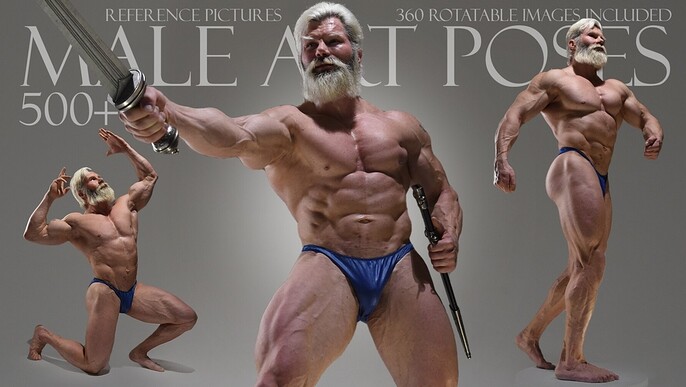
- Anatomy and figure study. If Leonardo Da Vinci had to study anatomy, we all do. A great set of reference pics is essential for creating believable artwork.
- Perspective. 2D artists in particular need to understand both the mathematics behind perspective as well as techniques for shading.
- Color theory. Not only are there concrete principles behind using color effectively, but digital artists have unprecedented control over hue, saturation, brightness, balance, and layering.
- Composition. Do you know why your favorite artwork is so effective? There are a lot of tricks and secrets to developing powerful compositions.
How long does it take to get “good” at the basics? The truth is, you’re never done! That’s the beauty of a creative life. But if you invest in some resources and practice every day, in a year, you won’t believe how far you’ve come.
Getting “Good” (3-6 years is a good bet)
If you’ve worked hard and invested wisely in your progress, you’ll probably have a lot of control and a clear picture of what you’re into after 6 months to a year.
After that, there will be a long period of development where you get to know what you’re all about, learn the deeper nuances of creating art, and start to gain some well-deserved confidence in your work.
How do you get on the path to some much-needed validation from your peers? Take a look:
- Join communities. Finding a hive of like-minded creators is essential for staying inspired, building your technique, learning new tricks, and contextualizing your work relative to the industry.
- Take a lesson. Feel like you’re hitting a wall? Connecting with an artist whose work you appreciate can give you some positive direction and valuable feedback.
- Invest in tools. Digital artists have an extraordinary assortment of brushes, textures, and effects available to them. By building your toolkit, you expand your expressive range.
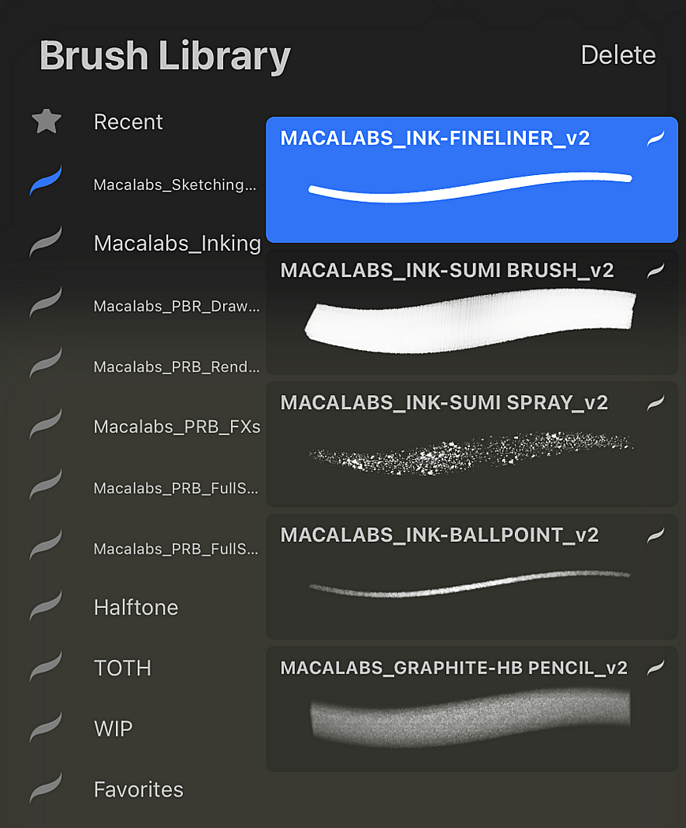
- Create your own brushes. Henri Matisse revolutionized art—but he had to develop his own cutout tools to do it. If there’s an effect you want, create it! You can also sell these assets to other artists on Cubebrush and take another step toward being a pro.
You’re Going to Make It!
You’re probably going to gulp some water when you dive headfirst into digital art, and the first few weeks can feel daunting. The good news is, everyone goes through it—and you’ll get there if you keep working. We promise!
And to make your journey as smooth and rewarding as possible, Cubebrush has all the assets and resources you need to make steady progress and build your skills. Our 1.5 million subscribers and 12,000+ storefronts are here to offer you tips, hook you up with the tools you need, and give you a few high fives along the way.
See you on Cubebrush soon!